Why Is My DJI Gimbal Shaking? Causes and Solutions
A DJI gimbal serves as the core stabilization system for drone cameras, designed to capture crisp, ultra-smooth footage even in windy and complex flight environments. However, gimbal shaking, persistent vibration, camera jitter, and unstable horizon movement are among the most common issues drone pilots face.
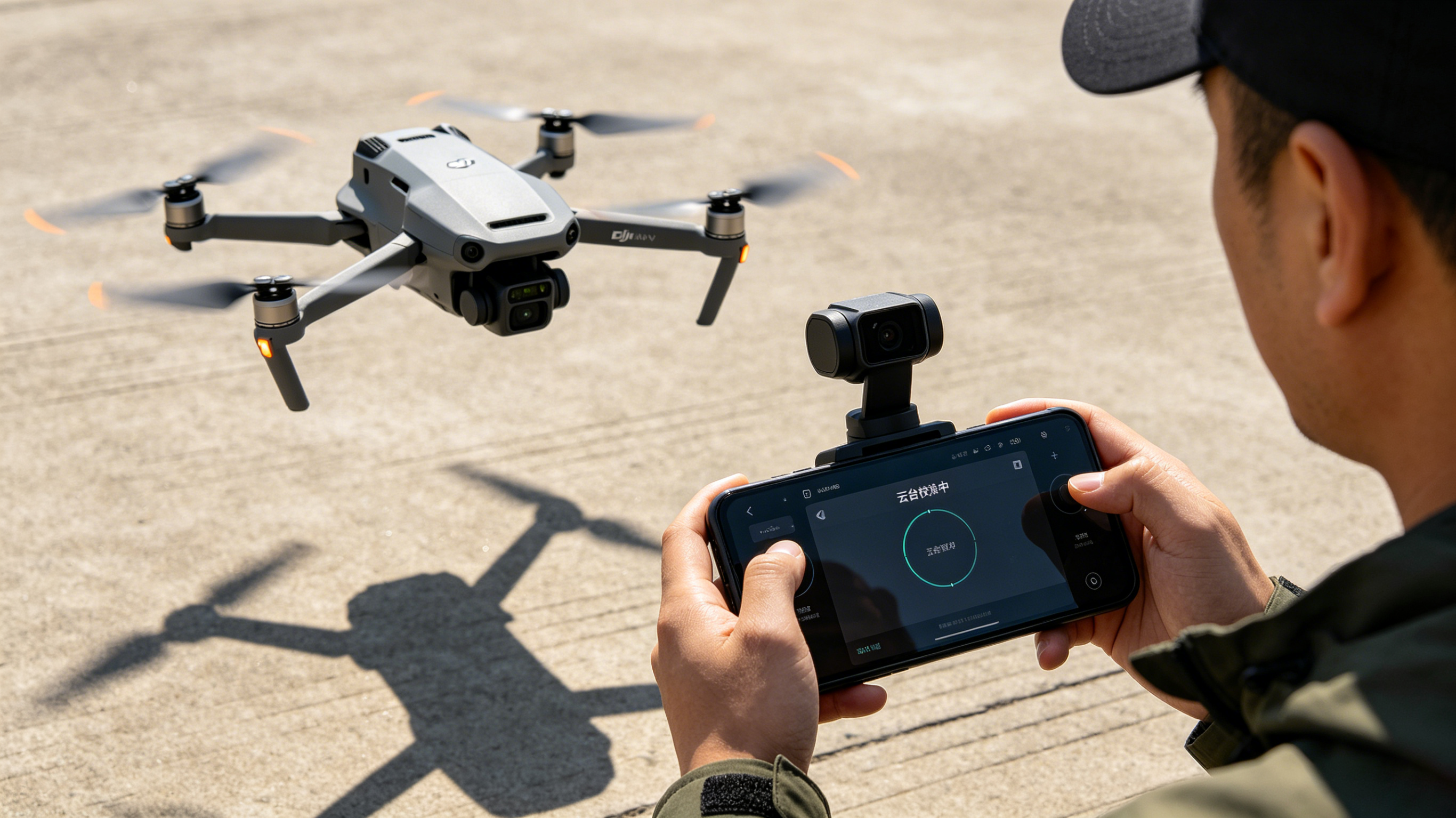
If your gimbal shakes on startup, vibrates mid-flight, or produces shaky recorded videos, the problem almost always stems from mechanical damage, software glitches, electrical faults, or improper operation. Left unaddressed, these minor issues can escalate to burnt-out gimbal motors, broken ribbon cables, and permanent stabilization system failure.
In this complete troubleshooting guide, we break down the top causes of DJI gimbal shaking, share actionable DIY fixes, outline professional repair methods, and cover key prevention tips to keep your gimbal working perfectly.
What Is DJI Gimbal Shaking? Key Symptoms
Gimbal shaking refers to abnormal, involuntary movement of the drone’s camera stabilization system that deviates from normal operating motion. Common problematic symptoms include:
-
Continuous low or high-frequency gimbal vibration
-
Rapid oscillation and irregular camera jitter mid-flight
-
Jerky, unsmooth gimbal movement and horizon instability
-
Excessive shaking during gimbal startup calibration
-
Persistent tilted camera horizon after standard calibration
-
App alerts: Gimbal Motor Overloaded, Gimbal Stuck, Initialization Failed
-
Unusual grinding, buzzing, or clicking noises from the gimbal assembly
All these issues directly ruin video smoothness, reduce shooting quality, and disrupt your overall flight experience.
8 Common Causes of DJI Gimbal Shaking & Targeted Fixes
Most gimbal shaking issues fall into 8 core categories. We’ve sorted them by occurrence frequency with detailed symptoms and one-to-one solutions for quick troubleshooting.
1. Minor Crash or Impact Structural Damage
Impact damage is the #1 cause of gimbal vibration and shaking. Even a slight drop, collision with obstacles, or hard landing can deform delicate gimbal components, breaking the system’s balance and forcing the stabilizer to overcorrect constantly.
Typical Symptoms
-
Camera cannot stay centered in a neutral position
-
Visible bending or deformation of gimbal arms
-
Abnormal, erratic movement during drone startup
Solution
Perform a full visual inspection of
the entire gimbal assembly. Check for bent parts, loose screws, and cracked mounting brackets. Tighten loose fasteners and replace any deformed or broken structural components to restore factory alignment.
2. Damaged or Worn Gimbal Ribbon Cable
The gimbal ribbon cable transmits power and control signals between the drone body and gimbal camera. It is a fragile, wearable component that easily sustains damage from frequent bending, crashes, or improper maintenance.
Typical Symptoms
-
Random intermittent gimbal shaking and jitter
-
Frequent camera disconnection and black screen issues
-
Failed gimbal calibration and initialization
Solution
Carefully check the ribbon cable for tears, deep creases, broken internal traces, and loose connectors. If any damage is found, replace the ribbon cable immediately — this is a low-cost, high-efficiency fix for most random gimbal shaking issues.
3. Degraded or Faulty Gimbal Motors
DJI gimbals rely on three independent motors (roll, pitch, yaw) for 3-axis stabilization. If one motor weakens, seizes, or malfunctions, the entire stabilization system loses balance and produces persistent shaking.
Typical Symptoms
-
Continuous shaking on a single fixed axis
-
Gimbal motor overheating and obvious grinding noises
-
Persistent “Gimbal Motor Overloaded” app error
Solution
Use a professional gimbal motor test board to detect faulty motors accurately. Avoid blind replacement — test motor resistance, response sensitivity, and operating status first, then replace only the defective motor to save repair costs.
4. Inaccurate or Outdated Gimbal Calibration
Gimbal calibration data can drift after firmware updates, hard landings, long-distance transportation, or prolonged use. Misaligned calibration forces the stabilization system to overcompensate for positional errors, resulting in persistent vibration and jitter.
Solution (Full Auto Calibration)
-
Place the drone on a completely horizontal, stable surface
-
Open the DJI Fly app and enter the control settings interface
-
Navigate to Control → Gimbal Calibration
-
Start auto-calibration and keep the drone stationary throughout the process
-
Reboot the drone and test gimbal stability after calibration completes
5. Outdated Firmware or Software Bugs
Out-of-sync firmware or official firmware bugs can cause compatibility errors between the drone, remote controller, and gimbal system, leading to abnormal stabilization and random shaking.
Typical Symptoms
Solution
Update all core firmware to the latest official version via DJI Fly or DJI Assistant 2, including aircraft firmware, remote controller firmware, and smart battery firmware. Resolve firmware version conflicts to eliminate software-induced shaking.
6. Foreign Debris Blocking Gimbal Movement
Dust, sand, grass, and tiny crash debris can get stuck in gimbal rotating joints, increasing motor operating resistance and hindering free movement. This issue is especially common after flights on beaches, construction sites, and farmland.
Solution
Power off the drone completely, then inspect all gimbal movable joints and gaps. Remove all foreign debris with a soft brush or compressed air. Ensure no obstacles hinder 360° gimbal rotation before use.
7. Loose Internal Mounting Components
Long-term transportation vibration and frequent flight jitter can loosen gimbal mounting screws, motor brackets, and camera fasteners, causing intermittent shaking and rattling noises.
Typical Symptoms
-
Sporadic, non-persistent gimbal shaking
-
Obvious rattling sounds from the gimbal assembly
-
Unstable and inconsistent stabilization performance
Solution
Check and tighten all gimbal-related components, including motor mounts, gimbal arms, camera brackets, and internal fixing screws. Follow DJI’s official torque specifications to avoid over-tightening damage.
8. Unbalanced or Damaged Propellers
Most pilots misjudge this issue: gimbal shaking during flight is often caused by unbalanced propellers, not a faulty gimbal. Cracked, chipped, or deformed propellers generate high-frequency vibration that transfers to the drone frame and amplifies gimbal jitter.
Typical Symptoms
-
Shaking intensifies with increased flight speed
-
No shaking during static startup, only occurs mid-flight
-
Gimbal calibration works normally on the ground
Solution
Inspect all propellers for cracks, edge chips, deformation, and imbalance. Replace damaged propellers with genuine or high-quality compatible replacements, then conduct a test flight to verify stability.
Step-by-Step Gimbal Troubleshooting Workflow (Beginner-Friendly)
Follow this systematic process to quickly locate and fix gimbal shaking issues without blind disassembly:
Step 1. Remove all protective locks
Before powering on the drone, remove the gimbal protective cover and transport locks. Locked gimbal movement is the most common cause of startup overload and vibration errors.
Step 2. Conduct a full visual inspection
Check gimbal arms, camera housing, ribbon cable, and mounting points for impact damage, deformation, and debris blockage.
Step 3. Sync and update all firmware
Eliminate software conflicts by updating all drone and controller firmware to the latest official version.
Step 4. Run full auto gimbal calibration
Complete horizontal calibration as instructed above to fix data drift issues.
Step 5. Test gimbal motor operation
Power on the drone and observe 3-axis gimbal movement. Check for stuck axes, weak motor response, and overheating to identify faulty motors.
Step 6. Replace propellers and test flight
Install new balanced propellers and test mid-flight stability to rule out frame vibration interference.
Professional DJI Gimbal Repair Process
For persistent or severe gimbal faults, professional technicians adopt precise component-level repair to avoid unnecessary part replacement and reduce costs:
-
Advanced visual inspection: Check for structural deformation, connector looseness, and hidden crash damage
-
Motor precision diagnosis: Test motor resistance, signal transmission, and dynamic response data
-
Board-level testing: Detect faults in gimbal control boards, power circuits, and communication systems
-
Targeted component replacement: Replace only faulty motors, ribbon cables, or control boards instead of full assembly replacement
How to Prevent Gimbal Shaking (Long-Term Maintenance Tips)
Proper daily maintenance can eliminate 90% of gimbal shaking and failure issues:
-
Use protective accessories: Always install the gimbal cover and transport locks during transit and storage
-
Avoid hard impacts: Practice smooth takeoffs and landings to reduce crash and collision risks
-
Regular cleaning: Remove sand, dust, and debris from gimbal joints after flights in harsh environments
-
Periodic inspection: Regularly check for loose screws, worn cables, and abnormal motor noise
-
Standardized storage: Store the drone in a dry, shockproof carrying case to avoid moisture and vibration damage
When to Seek Professional Repair
Stop DIY troubleshooting and turn to professional repair services if you encounter the following situations, to avoid secondary damage:
-
Gimbal calibration fails repeatedly after multiple attempts
-
Motors overheat rapidly or emit persistent abnormal noises
-
Ribbon cable is severely damaged or internal connectors are loose
-
The drone has experienced severe crashes or structural deformation
-
Shaking persists completely after all DIY troubleshooting steps
Conclusion
DJI gimbal shaking is never a random fault — it is triggered by mechanical deformation, component wear, software errors, external blockages, or propeller vibration. By following our standardized troubleshooting steps, most daily gimbal shaking issues can be fixed quickly without professional help.
Sticking to regular maintenance and standardized flight operations can effectively extend the service life of your gimbal system. For complex hardware faults, precise professional component repair ensures stable long-term performance and avoids repeated failures.


